SheetFreelancer Income & Tax TrackerTemplate Collective
Business & Finance
£14.99£4.99
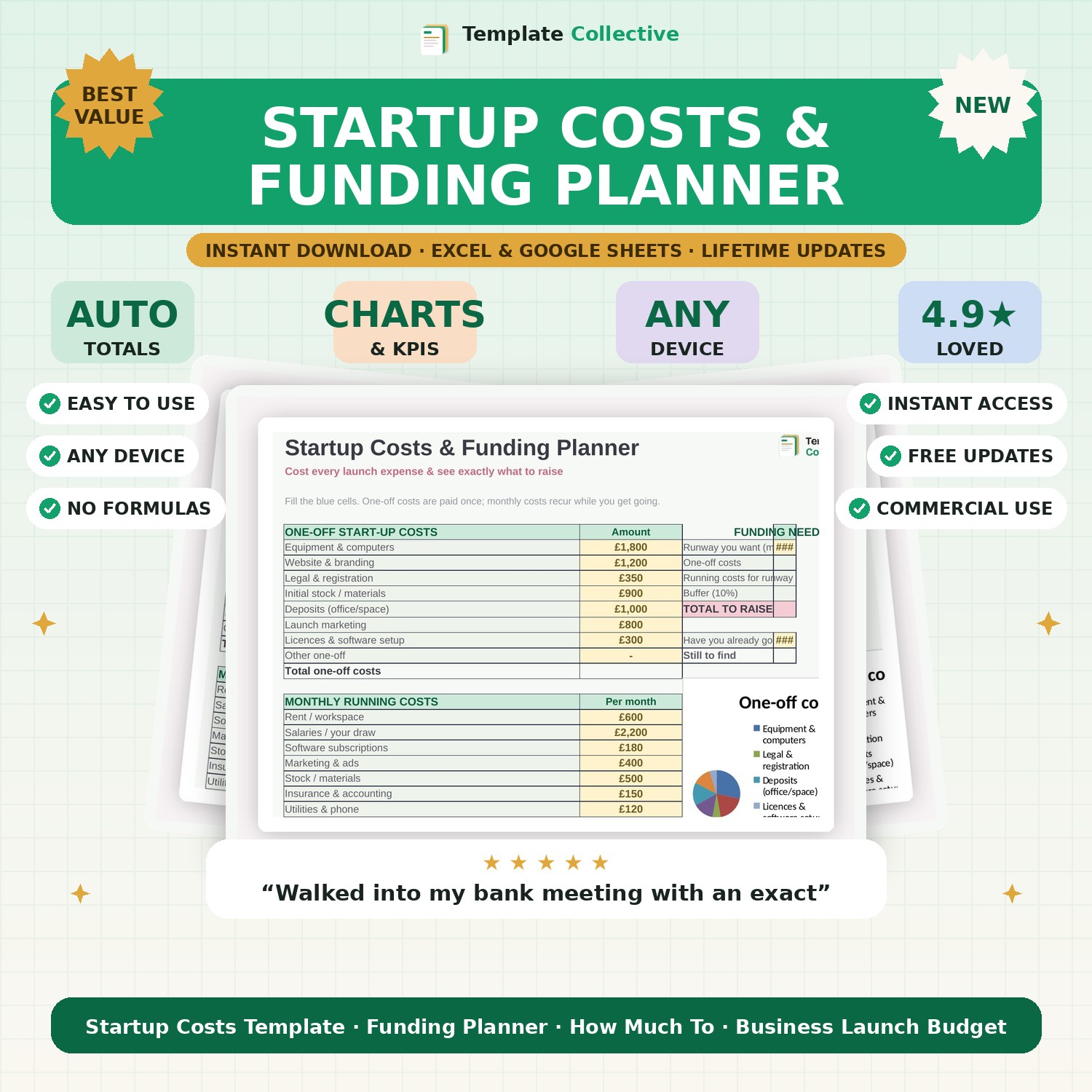
Cost every launch expense and see exactly how much funding to raise. One-off costs, monthly running costs, runway and total to raise — all calculated for you.
Most startups do not run out of ideas — they run out of cash. The Startup Costs & Funding Planner helps you avoid that by costing every expense before you launch and telling you exactly how much money you need to raise. List your one-off setup costs and your monthly running costs, choose how many months of runway you want, and the template calculates your total funding requirement, including a sensible buffer.
It then shows what you already have versus what you still need to find, so you can approach investors, lenders or your own savings with a precise, credible number. A cost-split chart makes it easy to see where your money is going and where you might trim.
This funding planner is perfect for anyone starting a business, side hustle or new product line who wants to plan properly instead of guessing. Built in Excel and Google Sheets with clear inputs and a worked example, it is simple to use and yours to keep.
Need a hand? Every purchase includes free email support and free updates for life. If a file ever will not open, reply to your receipt and we will sort it.
Most advisors suggest at least 6 months. The template lets you set any number and updates instantly.
Yes — it gives a clear, credible funding total you can put straight into a pitch.
Instant digital download. Nothing is shipped. Files are delivered to your email the moment you buy, and you can re-download them any time. Single-business licence.