Every template £4.99 · Instant download · Commercial licence on every file
Home / Spreadsheets & Tools / 12-Month Cash Flow Planner
12-Month Cash Flow Planner preview
Spreadsheets & Tools

12-Month Cash Flow Planner

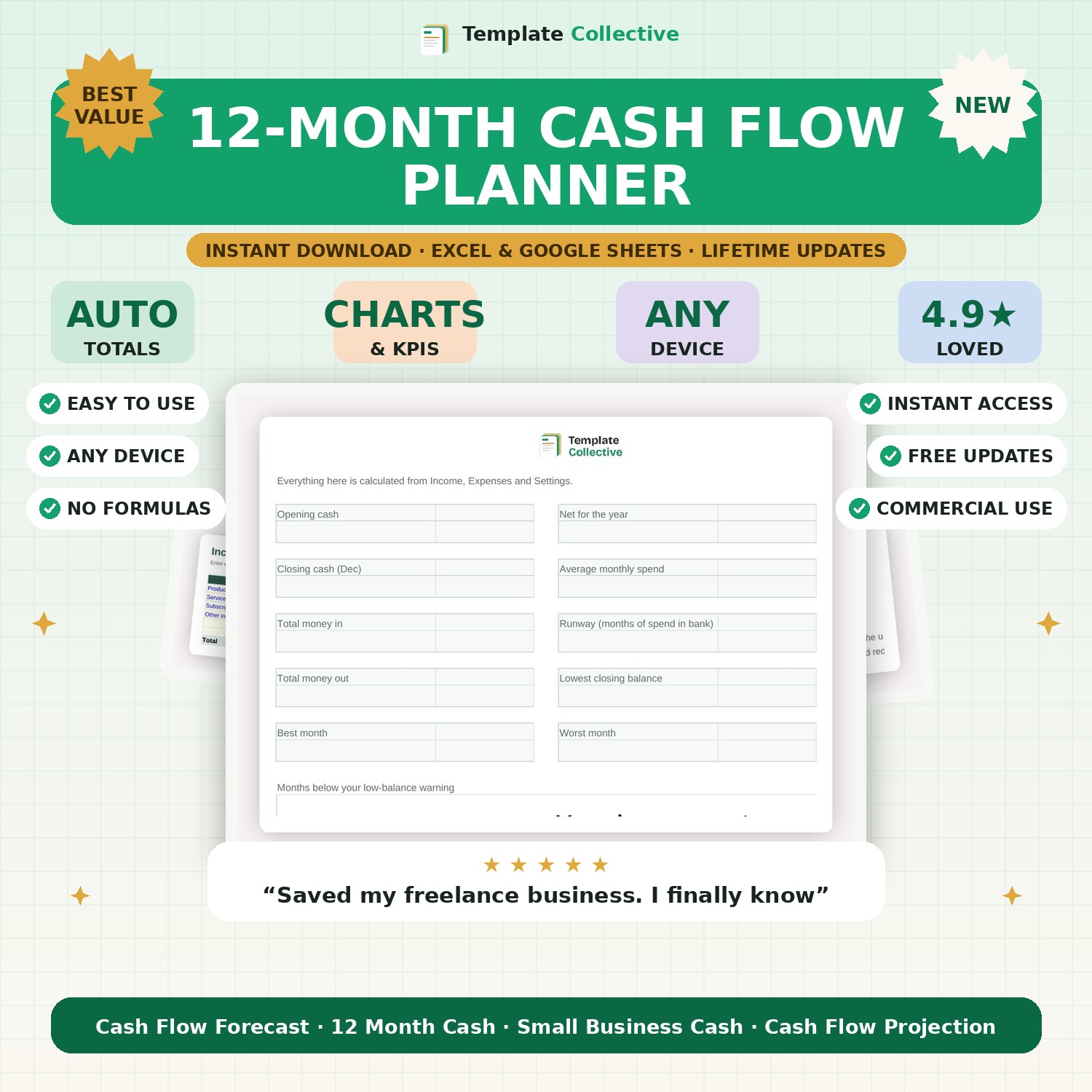
Track money in and out, carry balances forward and see your runway at a glance.

£4.99£14.99Save 67%
Instant downloadInstant download on Etsy
Excel · Google Sheets · NumbersEditable formats
Commercial licencePersonal & business use
Free updatesForever, at no cost

What's inside

  • 12 months of income & expense tracking with automatic totals
  • Opening & closing balance carried forward every month
  • Dashboard: runway, burn rate, best & worst month
  • Colour-coded so you only edit the blue cells
  • Works in Excel, Google Sheets & Numbers

About the 12-Month Cash Flow Planner

Cash flow is the number one reason small businesses fail — not lack of profit, but running out of money at the wrong moment. This 12-Month Cash Flow Planner gives you a clear, rolling view of the cash coming in and going out every month, so you always know whether you can cover the bills ahead.

Enter your expected income and outgoings and the planner calculates your net cash flow and closing balance for every month, carrying each month’s balance into the next. Colour-coded cells make it obvious when a month is heading into the red, giving you time to act rather than react. It is the single most useful financial document a small business can keep.

Built in Excel and Google Sheets with clearly marked input cells and a full worked example, it works on any device. Pair it with our [Startup Costs & Funding Planner](#/product/startup-costs-planner) if you are just starting out.

Who it's for

Small business ownersSee months in advance whether you can pay the bills.
FreelancersPlan around late invoices and quiet periods with confidence.

What's included

  • 12 months of income & expense tracking with automatic totals
  • Opening & closing balance carried forward every month
  • Dashboard: runway, burn rate, best & worst month
  • Colour-coded so you only edit the blue cells
  • Works in Excel, Google Sheets & Numbers

How to download & use it

  1. Check your email. The moment your payment goes through, we email your files to the address you enter at checkout. They usually arrive within a minute or two — if not, check your spam or promotions folder.
  2. Download your files. Open the email and click the download button. Your files save straight to your device — nothing is posted, it is all instant and digital. Keep the email so you can re-download any time.
  3. Open it. Open the file in Microsoft Excel, or upload it to Google Sheets (in Google Drive: New → File upload, then open with Google Sheets). It works on desktop, tablet and mobile.
  4. Make it yours. Type into the highlighted input cells — everything else calculates automatically. Most files include a "Start Here" tab and sample data to guide you.

Need a hand? Every purchase includes free email support and free updates for life. If a file ever will not open, reply to your receipt and we will sort it.

Frequently asked questions

Do I need accounting knowledge?

No — enter your expected income and costs and the planner does the rest.

Does it work in Google Sheets?

Yes, and in Excel, on any device. Buy once, keep forever.

Related searches

cash flow forecast template12 month cash flow plannercash flow spreadsheetsmall business cash flowExcel cash flow templateGoogle Sheets cash flowcash flow projectionbusiness budgeting spreadsheet

Related guides

Instant digital download. Nothing is shipped. Files are delivered to your email the moment you buy, and you can re-download them any time. Single-business licence.

You might also like

More in Spreadsheets & Tools
SheetUltimate Personal Finance DashboardTemplate Collective
Spreadsheets & Tools

Ultimate Personal Finance Dashboard

£14.99£4.99
SheetPersonal Budget TrackerTemplate Collective
Spreadsheets & Tools

Personal Budget Tracker

£14.99£4.99
✓
Secure checkout
Live previewPreview
This is an interactive sample. The file you download is fully editable in Excel, Google Sheets or Word.